
List of illustrations
Aperture opening diagram
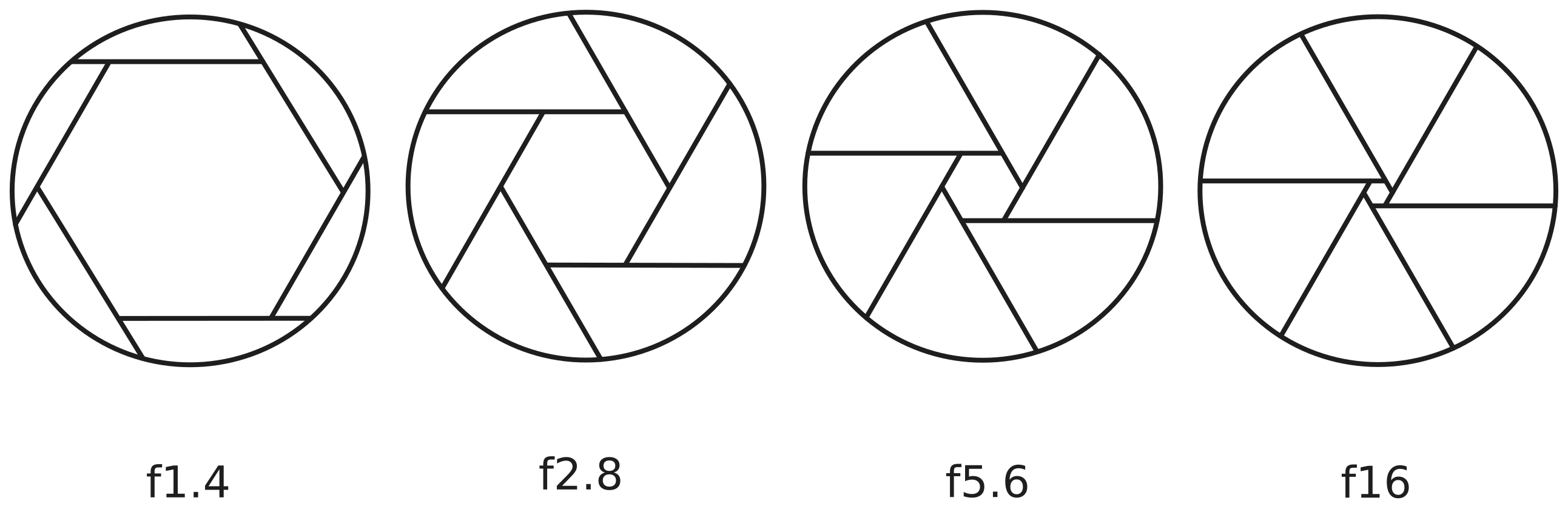
This diagram shows the diaphragm of a lens, opening to several apertures. On the left, f1.4 which is the largest opening allowing the most amount of light and producing the shallowest depth of field. Next is f2.8, which has a slightly smaller opening, followed by f5.6, which is even smaller. Lastly it shows f16 which has the smallest opening of the four, and produces the largest depth of field.
Darkroom printing workflow
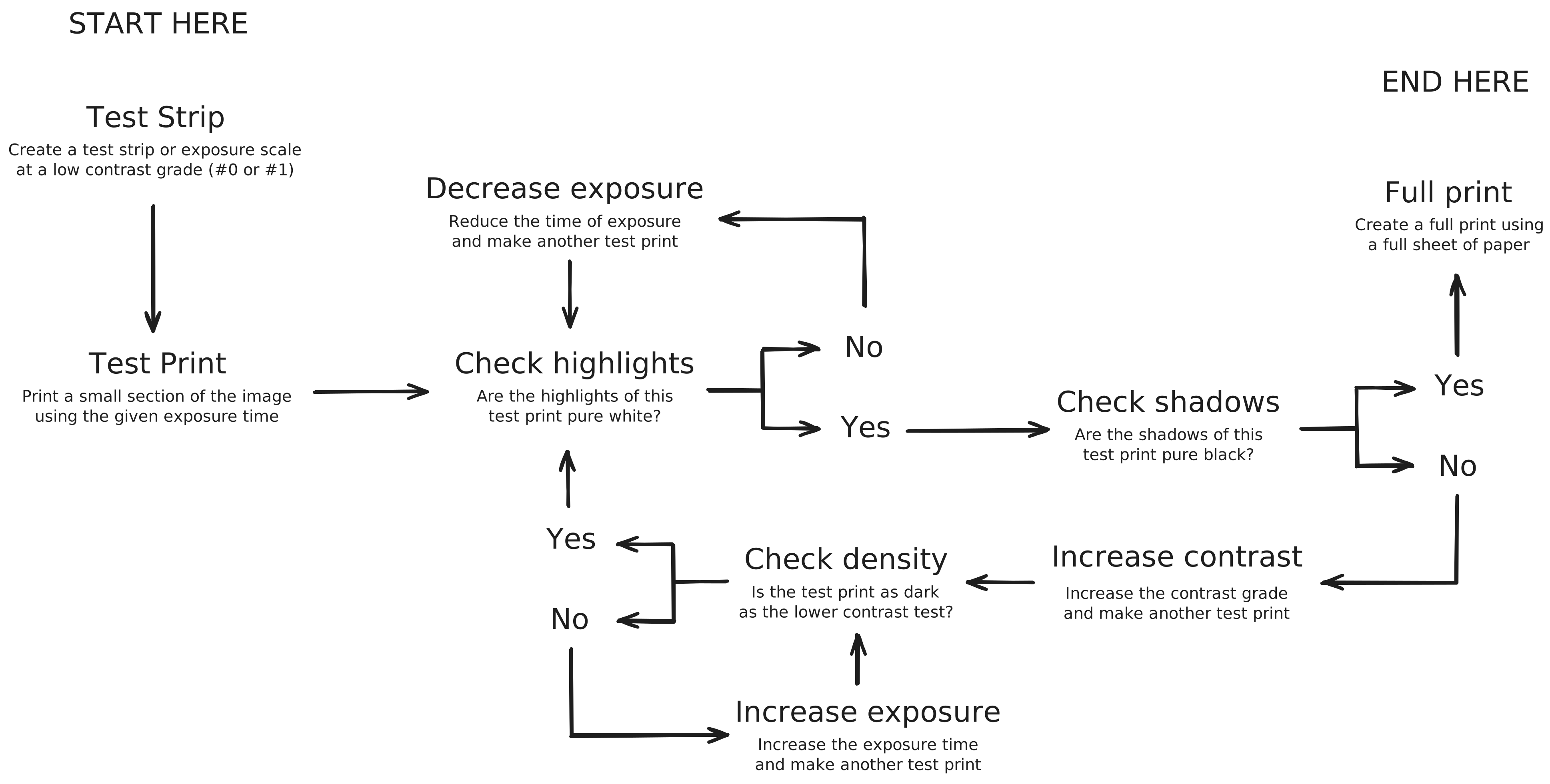
Diagram of the black and white darkroom printing workflow. The process begins with a test strip made to display multiple exposures. Based on the test strip, a test print of a single exposure is made. The test print is evaluated to confirm the highlights are pure white. If not, increased exposure is needed. Where pure white is found, asses the blacks and ensure they are as dark as required. To increase blacks in a darkroom print, increase the contrast grade used during printing. Special care should be made to ensure the density of the print is consistent with the previous test. Increase to exposure time should be used to match the density of the previous test print. When both the whites and the blacks of a test print are acceptable, a full print can be made.
Film format diagram
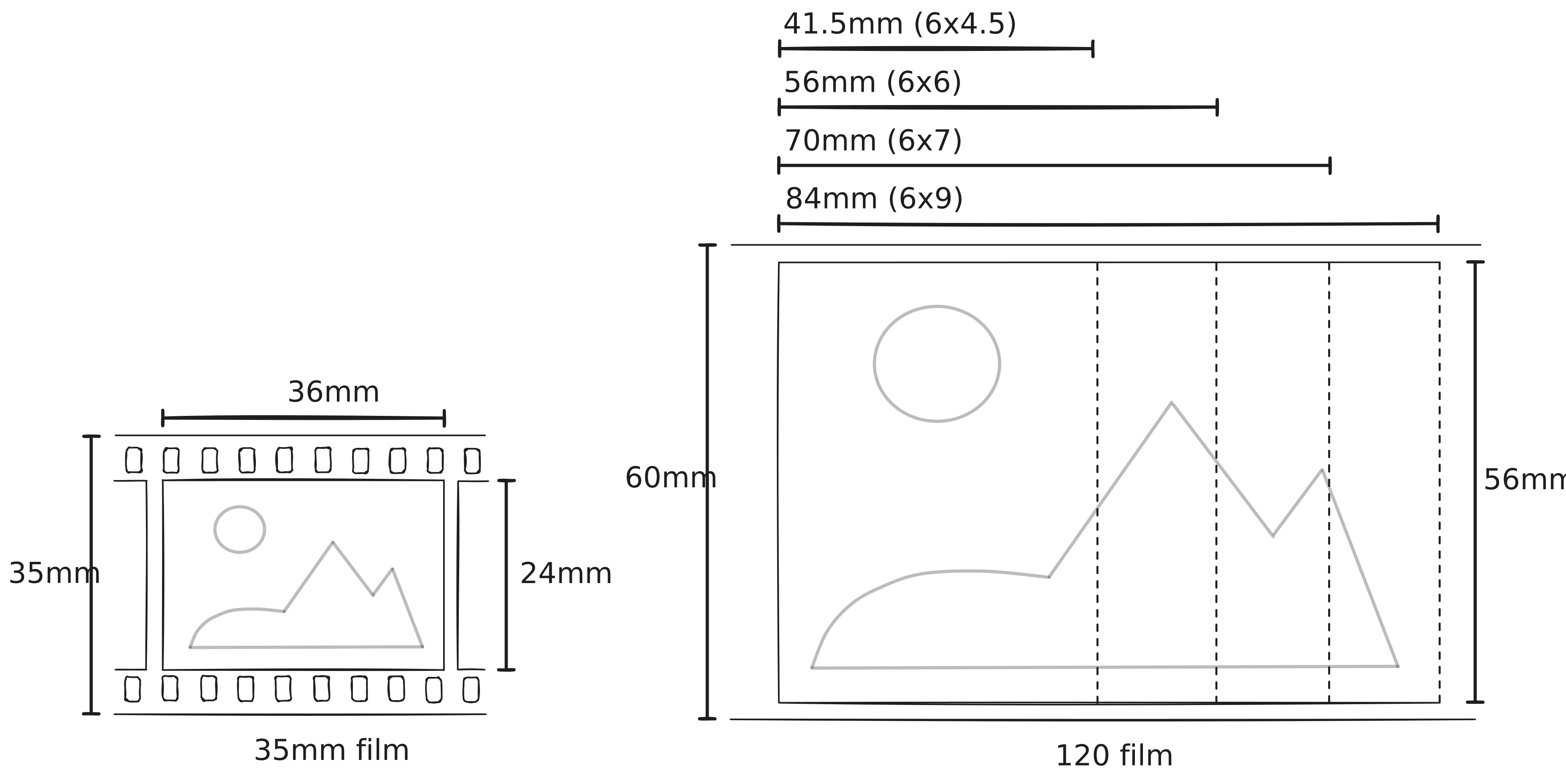
This diagram compares the frame sizes of 35mm and 120 medium format film. On the left, 35mm film has a fixed frame size of 36×24mm with perforations along the edges. On the right, 120 film is wider at 60mm and supports multiple frame sizes, including 6×4.5cm, 6×6cm, 6×7cm, and 6×9cm. Unlike 35mm, 120 film does not have perforations and offers larger negatives, which capture more detail and produce higher-quality images with less visible grain.