
Choosing and loading film
This guide covers two essential skills: picking the right film and loading it into your camera.
Choosing a film
Film comes in two main types, each with a distinct look. Your choice depends on where you'll shoot, how you plan to develop, and the style of images you want.
Black & white or colour
| Film type | Look | Development |
|---|---|---|
| Black & white | Classic, high contrast | Easy to develop at home |
| Colour (C41) | Vibrant, natural tones | Needs a lab or special chemicals |
Home developing? Start with black & white. It needs minimal equipment and a straightforward process.
Using a lab? Colour negative (C41) film is widely available, affordable, and forgiving with exposure mistakes.
Understanding film ISO
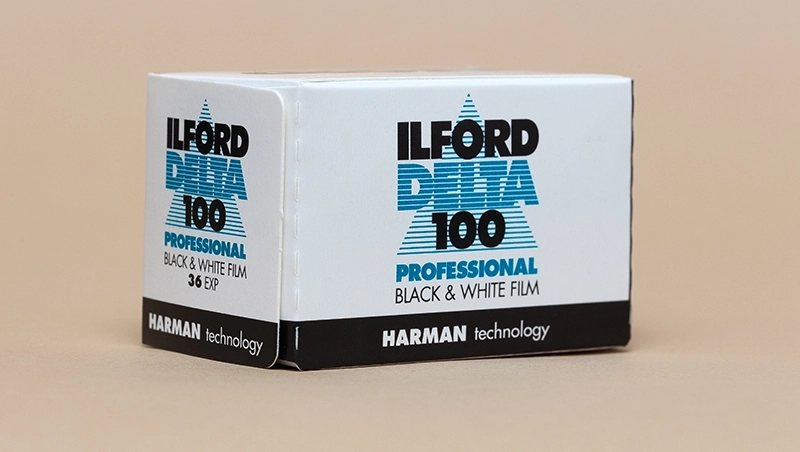
ISO measures how sensitive film is to light. You'll find it on the box as 100, 200, 400, 800, or higher.
- ISO 100/200 – Bright daylight and outdoor shoots
- ISO 400 – Versatile choice for mixed indoor and outdoor light
- ISO 800+ – Low light, evenings, or indoor without flash
Lower ISO means finer grain and more detail. Higher ISO handles dark conditions but adds visible grain.
Loading a film camera
Always check your camera's manual for specific instructions. These steps cover most 35mm cameras.
⚠ Handle with care!
Avoid touching the shutter curtain—it's delicate and costly to repair.
Point-and-shoot cameras
These cameras are the easiest to load:
- Open the camera back
- Insert the film canister into the film chamber
- Pull the film leader across to the take-up spool
- Align the film with any guide markers
- Close the back
Some advance the film automatically. Others use a small thumb wheel or lever.
35mm SLR cameras
SLR cameras need more careful loading:
- Open the camera back
- Insert the film leader into the take-up spool first
- Hold the film in the spool while lowering the canister into the chamber
- Ensure the film perforations catch on the sprockets
- Wind the film slightly with the advance lever, checking it moves smoothly
- Close the back and fire a few blank shots to confirm proper advancement
Medium format cameras
Medium format cameras vary widely in design. All use 120 film mounted on backing paper, which guides the film through the camera.
- Open the film back
- Place the new 120 roll on the supply side (the empty spool from your last roll often goes here)
- Pull the backing paper across to the take-up spool
- Thread the backing paper onto the spool and wind until the start marker meets the indicator
- Close the back and advance to the first frame